


You will not be allowed to compare more than 4 products at a time
View compareDji Flip Parallel Charging Hub
Dji Flip Parallel Charging Hub
Regular price
$66.73 USD
Sale price
$66.73 USD
Regular price
$66.73 USD
Unit price
per
Shipping calculated at checkout.
Out of stock
Sold by ToyTooth — Your trusted kids' toy store.
Returns accepted within 30 days | support@toytooth.com
Shipping Information
- Free Shipping Across the USA
- Processing Time: 3–5 business days
- Estimated Delivery: 6–10 business days after dispatch
- Securely packed to ensure your purchase arrives in perfect condition
- Tracking number sent via email once dispatched
Returns & Refund
Returns accepted within 30 days of delivery.
Damaged or Defective Item
Free return shipping + replacement or full refund
Wrong Item Received
Free return shipping + replacement or full refund
Change of Mind
Return shipping at customer's expense · Item must be unused & in original packaging
All returns require a Return Authorization (RA) number before sending.
View Full Return & Refund Policy
Safety & Compliance
⚠️
California Proposition 65 Warning
Some products sold on this website may expose you to chemicals known to the State of California to cause cancer, birth defects, or other reproductive harm.
www.P65Warnings.ca.gov
🛒
General Product Safety Advisory
Always read the product label, instructions, and safety warnings before use. Do not use damaged or modified products. Store products in appropriate conditions as specified by the manufacturer.
Keep all products out of reach of children unless specifically designed for their use.
ℹ️
Product Authenticity & Notice
All products sold by ToyTooth are 100% authentic, sourced directly from trusted toy suppliers and brands. Product colors and dimensions may vary slightly from images due to screen calibration and manufacturing tolerances.
ToyTooth — Fun Toys for Every Kid, Delivered to Your Door.
Share
Couldn't load pickup availability
Guarantee safe and secure checkout
Description
Description
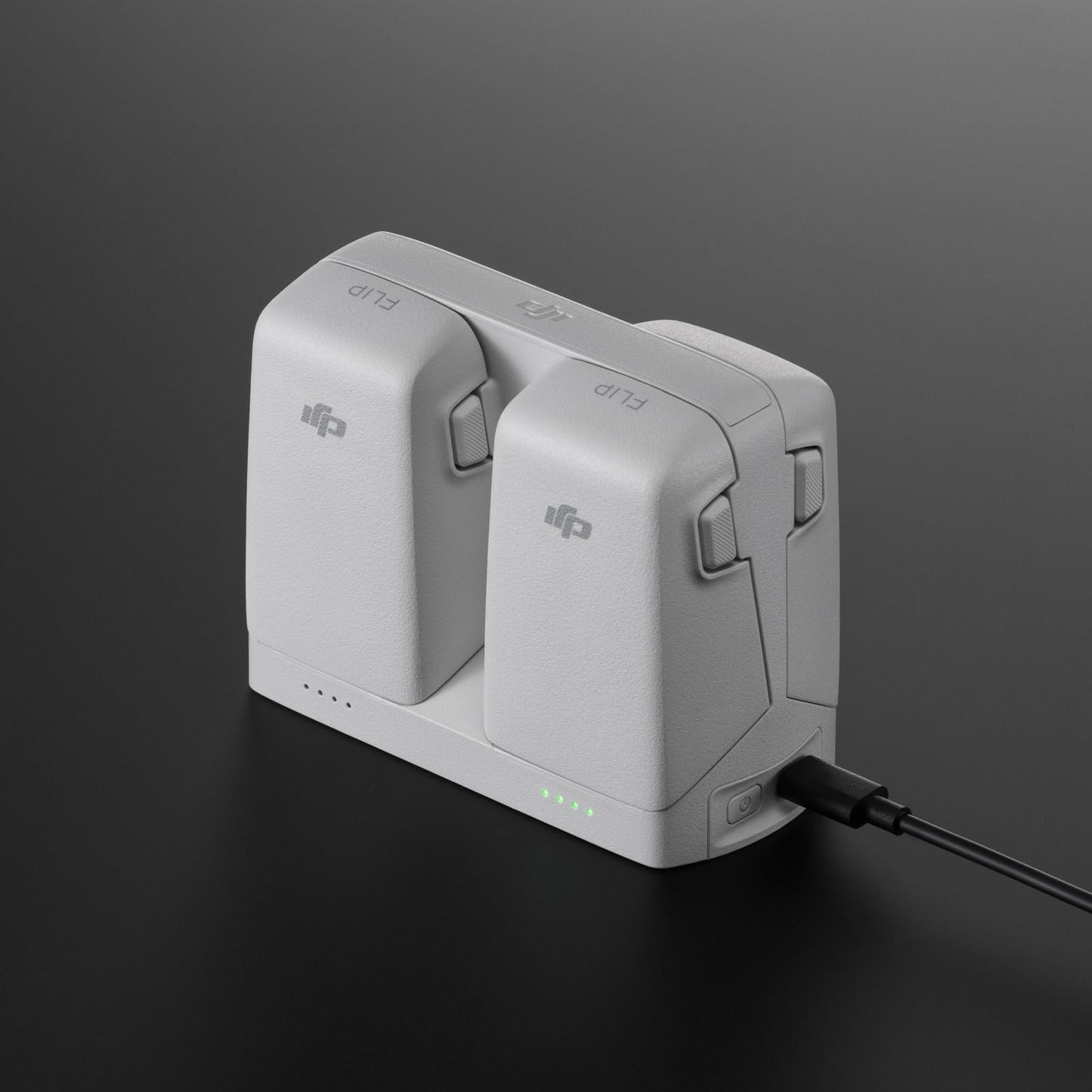
Charge 2 batteries simultaneously in as little as 70 minutes. With at least one battery stored, it can serve as a power bank to charge devices.


Frequently Asked Questions
- Q: What are the dimensions of the DJI Flip Parallel Charging Hub? A: The dimensions are four point seventy-two inches in length, two point eighteen inches in width, and three point six inches in height. This compact design makes it easy to store and transport.
- Q: What is the weight of the DJI Flip Parallel Charging Hub? A: The weight is not specified, but it is designed for portability and ease of use. It can easily fit into a bag or backpack.
- Q: What materials is the DJI Flip Parallel Charging Hub made from? A: The specific materials are not mentioned, but it is designed to be durable and lightweight for efficient charging. The hub is built to withstand regular usage.
- Q: How do I charge batteries with the DJI Flip Parallel Charging Hub? A: To charge batteries, connect the hub to a DJI sixty-five watt portable charger or a charger with sufficient power. Insert the batteries and the hub will charge them simultaneously.
- Q: Can I use the DJI Flip Parallel Charging Hub as a power bank? A: Yes, it can serve as a power bank when at least one battery is stored. This allows you to charge devices like smartphones or goggles using remaining battery power.
- Q: Is the DJI Flip Parallel Charging Hub compatible with other DJI products? A: It is specifically compatible with the DJI Flip. Ensure that you are using the correct batteries for optimal performance.
- Q: How do I maintain the DJI Flip Parallel Charging Hub? A: Keep the hub clean and store it in a dry place. Avoid exposure to extreme temperatures and moisture to ensure longevity.
- Q: Can I use other chargers with the DJI Flip Parallel Charging Hub? A: Only chargers with at least sixty-five watts output and PD protocol support can be used for parallel charging. Using a lower wattage charger will result in individual battery charging.
- Q: What should I do if my DJI Flip Parallel Charging Hub is not charging? A: First, check if the charger is functioning correctly. Ensure it meets the minimum power requirements. Inspect the cables for any damage and try using another compatible charger.
- Q: What is the charging time for the batteries using the DJI Flip Parallel Charging Hub? A: The hub charges two intelligent flight batteries simultaneously in as little as seventy minutes. This rapid charging feature is highly efficient for users.
- Q: Does the DJI Flip Parallel Charging Hub come with a warranty? A: Warranty details are not specified. It is advisable to check with the manufacturer or retailer for warranty information and coverage.
- Q: Can I charge my devices directly from the DJI Flip Parallel Charging Hub? A: Yes, you can charge devices like smartphones and goggles as long as there is at least one battery stored in the hub. The remaining battery power is used for this purpose.
- Q: Is the DJI Flip Parallel Charging Hub safe to use? A: Yes, it is designed with safety in mind, provided you use it according to the manufacturer’s guidelines. Follow all instructions for safe operation.
- Q: How do I know if the DJI Flip Parallel Charging Hub is functioning properly? A: Check for indicator lights or charging status notifications as specified in the manual. If batteries are not charging, troubleshoot with the steps provided.
- Q: What is included in the box with the DJI Flip Parallel Charging Hub? A: The box includes one DJI Flip Parallel Charging Hub. No additional accessories are included, so ensure you have a compatible charger.