


You will not be allowed to compare more than 4 products at a time
View compareMiyoo Mini Plus, Retro Gaming Console With 64G Memory Card, 3.5-Inch Ips Screen, 3000Mah Long Endurance Battery,With Storage Cas
Miyoo Mini Plus, Retro Gaming Console With 64G Memory Card, 3.5-Inch Ips Screen, 3000Mah Long Endurance Battery,With Storage Cas
Regular price
$94.72 USD
Sale price
$94.72 USD
Regular price
$94.72 USD
Unit price
per
Shipping calculated at checkout.
Out of stock
Sold by ToyTooth — Your trusted kids' toy store.
Returns accepted within 30 days | support@toytooth.com
Shipping Information
- Free Shipping Across the USA
- Processing Time: 3–5 business days
- Estimated Delivery: 6–10 business days after dispatch
- Securely packed to ensure your purchase arrives in perfect condition
- Tracking number sent via email once dispatched
Returns & Refund
Returns accepted within 30 days of delivery.
Damaged or Defective Item
Free return shipping + replacement or full refund
Wrong Item Received
Free return shipping + replacement or full refund
Change of Mind
Return shipping at customer's expense · Item must be unused & in original packaging
All returns require a Return Authorization (RA) number before sending.
View Full Return & Refund Policy
Safety & Compliance
⚠️
California Proposition 65 Warning
Some products sold on this website may expose you to chemicals known to the State of California to cause cancer, birth defects, or other reproductive harm.
www.P65Warnings.ca.gov
🛒
General Product Safety Advisory
Always read the product label, instructions, and safety warnings before use. Do not use damaged or modified products. Store products in appropriate conditions as specified by the manufacturer.
Keep all products out of reach of children unless specifically designed for their use.
ℹ️
Product Authenticity & Notice
All products sold by ToyTooth are 100% authentic, sourced directly from trusted toy suppliers and brands. Product colors and dimensions may vary slightly from images due to screen calibration and manufacturing tolerances.
ToyTooth — Fun Toys for Every Kid, Delivered to Your Door.
Share
Couldn't load pickup availability
Guarantee safe and secure checkout
Description
Description
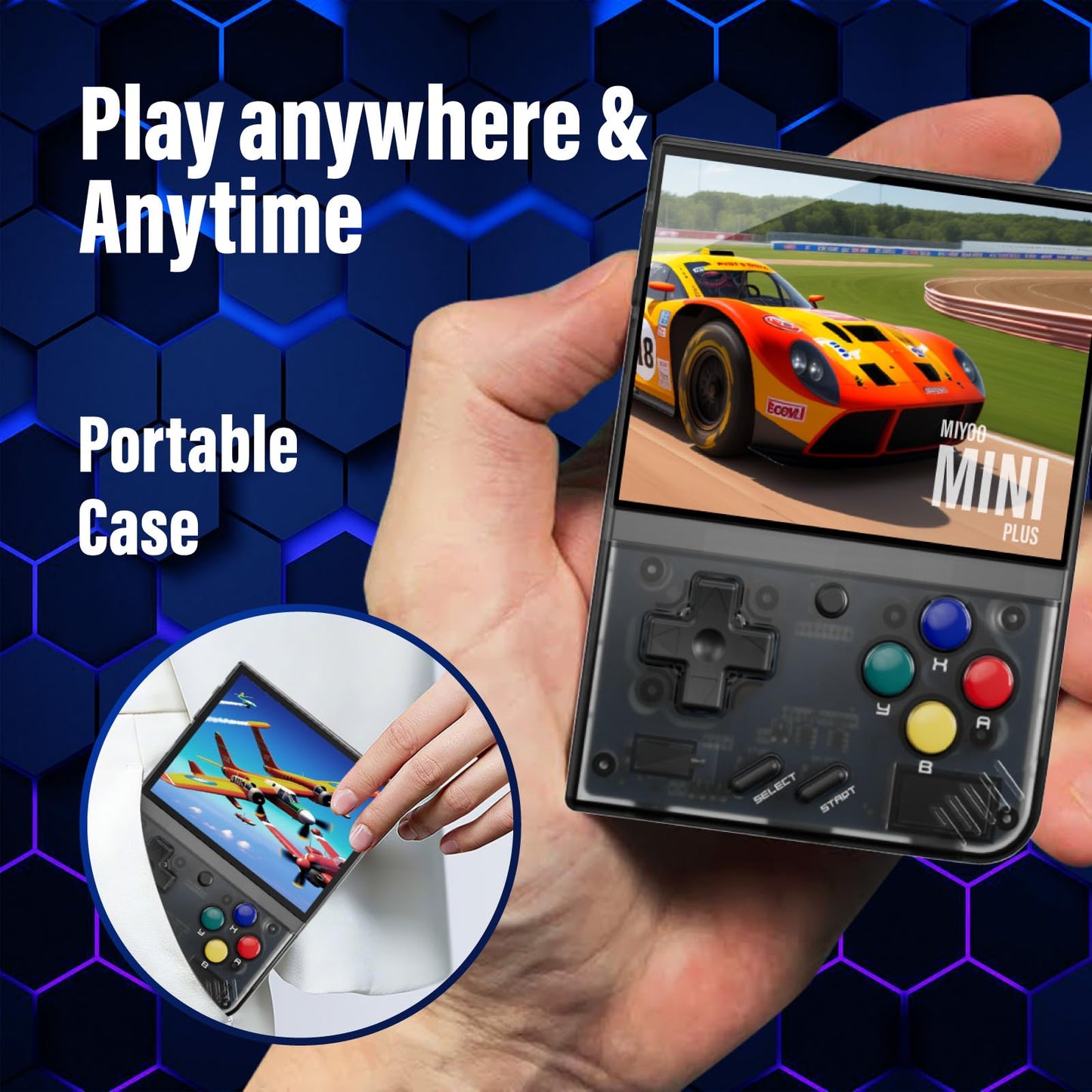
Package Contains: 1X Miyoo Mini Plus Handheld Game Console, 1X Portable Case, 1X 64G Tf Card, 1X Usb-C Charging Cable, 1X Card Reader, 1X Manual.


Frequently Asked Questions
- Q: What are the dimensions of the Miyoo Mini Plus console? A: The Miyoo Mini Plus measures four point twenty-five inches in length, three point zero nine inches in width, and zero point ninety-four inches in height. This compact size makes it highly portable for gaming on the go.
- Q: What is the screen size and type of the Miyoo Mini Plus? A: The console features a three point five inch IPS HD retina screen. It has a resolution of six hundred forty by four hundred eighty pixels, providing clear and bright visuals.
- Q: What is the battery capacity of the Miyoo Mini Plus? A: The battery capacity is three thousand milliamp hours. This allows for approximately five to six hours of gameplay on a single charge.
- Q: How do I charge the Miyoo Mini Plus? A: You can charge the Miyoo Mini Plus using the included USB-C charging cable. Simply connect it to a power source and plug it into the console to recharge.
- Q: What types of games can I play on the Miyoo Mini Plus? A: You can play over ten thousand games on the Miyoo Mini Plus. It supports various genres including adventure, shooting, action, and racing.
- Q: How do I add new games to the Miyoo Mini Plus? A: You can add new games by downloading them to the included sixty-four gigabyte memory card. The open-source system allows you to easily install additional games.
- Q: Can the Miyoo Mini Plus be used as a gift? A: Yes, the Miyoo Mini Plus makes a great gift. It is perfect for both children and adults, serving as a nostalgic reminder of childhood.
- Q: What should I do if the Miyoo Mini Plus has a problem? A: If you encounter any issues with the console, you should email customer support with your order number and details of the problem. They will assist you in resolving the issue.
- Q: Is the Miyoo Mini Plus suitable for children? A: Yes, the Miyoo Mini Plus is suitable for children. Its fun and engaging games make it a popular choice for kids.
- Q: What materials are used in the construction of the Miyoo Mini Plus? A: The Miyoo Mini Plus is made of plastic. This lightweight material contributes to its portability and ease of use.
- Q: How do I clean the Miyoo Mini Plus? A: To clean the Miyoo Mini Plus, gently wipe the surface with a soft, dry cloth. Avoid using harsh chemicals or abrasive materials to preserve the finish.
- Q: What is the warranty policy for the Miyoo Mini Plus? A: The warranty policy typically covers defects in materials and workmanship. Check with the retailer for specific terms regarding returns and warranty claims.
- Q: Does the Miyoo Mini Plus contain any hazardous materials? A: Yes, the Miyoo Mini Plus contains lithium-ion batteries. It is important to follow proper disposal guidelines for electronic devices.
- Q: What is included in the package of the Miyoo Mini Plus? A: The package includes one Miyoo Mini Plus handheld console, one portable case, one sixty-four gigabyte TF card, one USB-C charging cable, one card reader, and one manual.
- Q: Is there a way to troubleshoot common issues with the Miyoo Mini Plus? A: Yes, common issues can often be resolved by resetting the console or checking connections. Refer to the manual for specific troubleshooting steps.