


You will not be allowed to compare more than 4 products at a time
View compareMiyoo Mini V4 Onionos Handheld Game Console 2.8-Inch 750*560 Ips Screen Miyoo-Mini V4 Onion-System With Portable Case T-Black
Miyoo Mini V4 Onionos Handheld Game Console 2.8-Inch 750*560 Ips Screen Miyoo-Mini V4 Onion-System With Portable Case T-Black
Regular price
$98.72 USD
Sale price
$98.72 USD
Regular price
$98.72 USD
Unit price
per
Shipping calculated at checkout.
Out of stock
Sold by ToyTooth — Your trusted kids' toy store.
Returns accepted within 30 days | support@toytooth.com
Shipping Information
- Free Shipping Across the USA
- Processing Time: 3–5 business days
- Estimated Delivery: 6–10 business days after dispatch
- Securely packed to ensure your purchase arrives in perfect condition
- Tracking number sent via email once dispatched
Returns & Refund
Returns accepted within 30 days of delivery.
Damaged or Defective Item
Free return shipping + replacement or full refund
Wrong Item Received
Free return shipping + replacement or full refund
Change of Mind
Return shipping at customer's expense · Item must be unused & in original packaging
All returns require a Return Authorization (RA) number before sending.
View Full Return & Refund Policy
Safety & Compliance
⚠️
California Proposition 65 Warning
Some products sold on this website may expose you to chemicals known to the State of California to cause cancer, birth defects, or other reproductive harm.
www.P65Warnings.ca.gov
🛒
General Product Safety Advisory
Always read the product label, instructions, and safety warnings before use. Do not use damaged or modified products. Store products in appropriate conditions as specified by the manufacturer.
Keep all products out of reach of children unless specifically designed for their use.
ℹ️
Product Authenticity & Notice
All products sold by ToyTooth are 100% authentic, sourced directly from trusted toy suppliers and brands. Product colors and dimensions may vary slightly from images due to screen calibration and manufacturing tolerances.
ToyTooth — Fun Toys for Every Kid, Delivered to Your Door.
Share
Couldn't load pickup availability
Guarantee safe and secure checkout
Description
Description
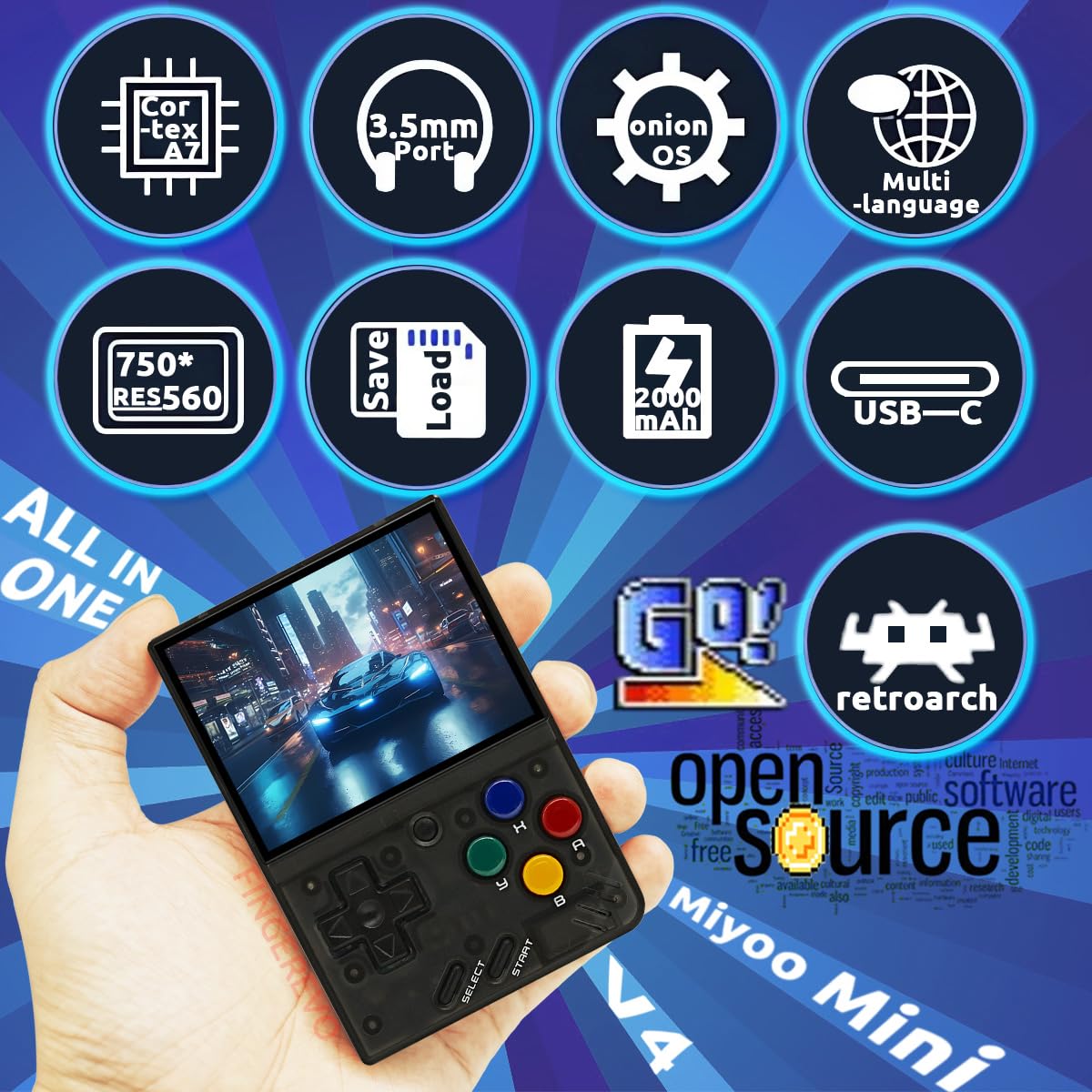
Miyoo Mini V4 Onionos Handheld Game Console 2.8-Inch 750*560 Ips Screen Miyoo-Mini V4 Onion-System With Portable Case T-Blackpackage Including1*Miyoo-Mini V4 T-Black-Onionos-641*Portable Case2*Screen Protector1*Usb-C Cable1*Tf-Card Reader1*Instruction

Frequently Asked Questions
- Q: What are the dimensions of the Miyoo Mini V4 console? A: The dimensions are three point seven inches long, two point six inches wide, and zero point seven inches high. This compact size makes it portable and easy to handle.
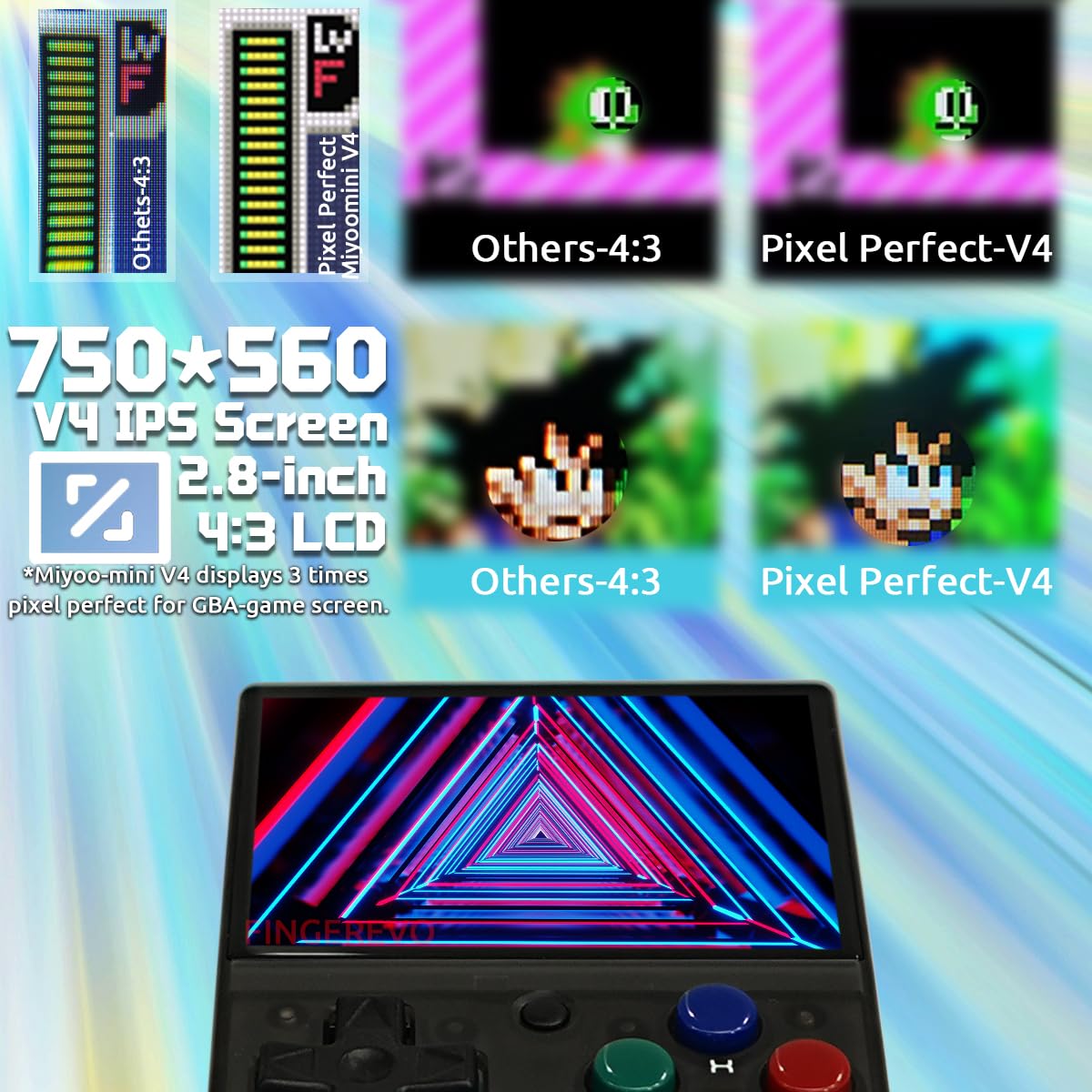
- Q: What is the screen resolution of the Miyoo Mini V4? A: The screen resolution is seven hundred fifty by five hundred sixty pixels. It features a two point eight inch IPS display for vibrant visuals.
- Q: What materials are used in the Miyoo Mini V4? A: The console is made of plastic. This material helps keep the device lightweight while maintaining durability.
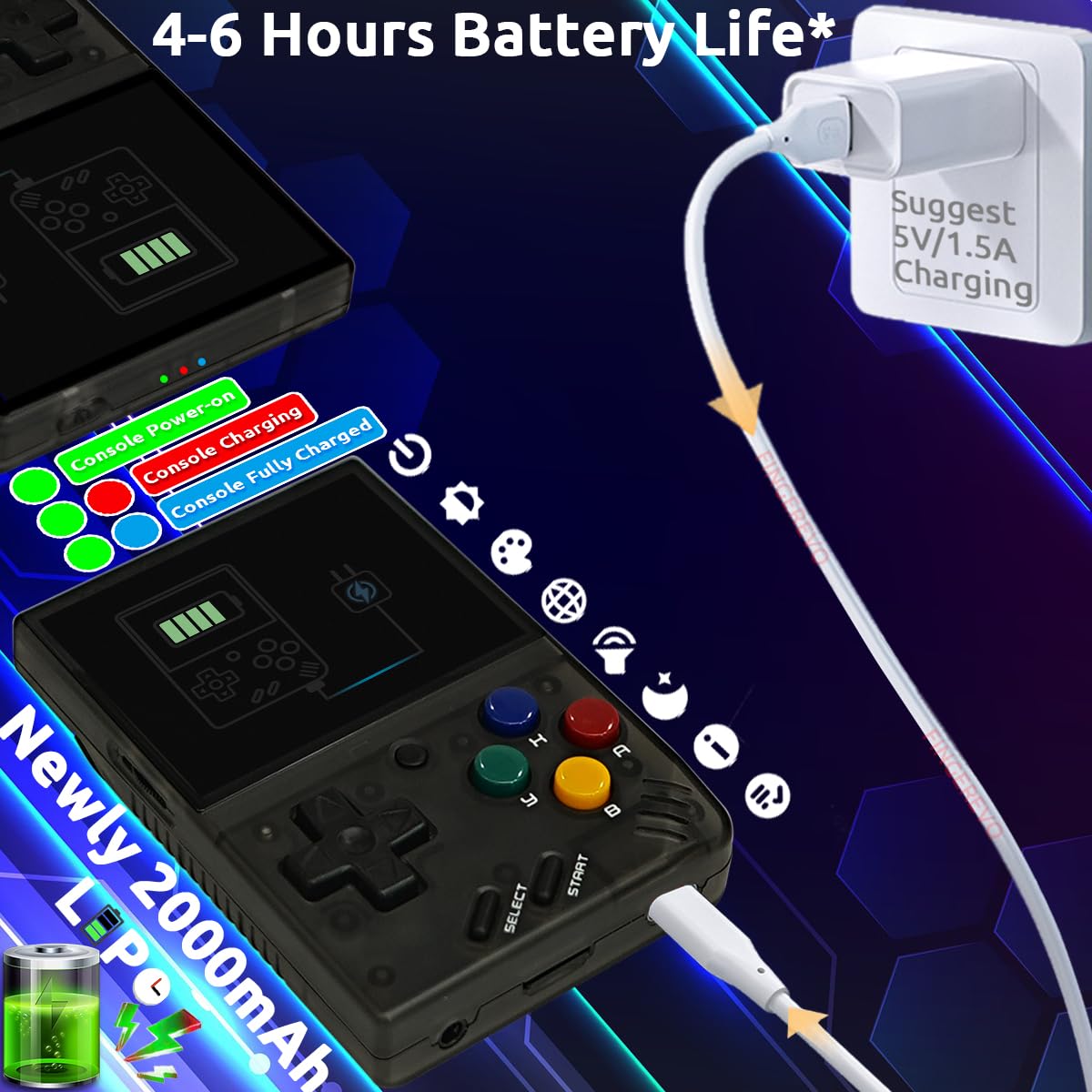
- Q: How do I charge the Miyoo Mini V4? A: You charge the Miyoo Mini V4 using the included USB-C cable. Simply connect the cable to a power source for charging.
- Q: Can I play games on the Miyoo Mini V4 anywhere? A: Yes, you can play games anywhere with the Miyoo Mini V4. Its lightweight design and built-in battery allow for portable gaming.
- Q: How do I use the Miyoo Mini V4 handheld console? A: To use the console, turn it on and navigate the OnionOS interface. You can easily install and play your favorite games from there.
- Q: Is the Miyoo Mini V4 suitable for all ages? A: Yes, the Miyoo Mini V4 is suitable for all ages. Its design and user-friendly interface make it accessible for everyone.
- Q: How long does the battery last on the Miyoo Mini V4? A: The battery lasts between four to six hours on a single charge. This allows for extended gaming sessions without frequent recharges.
- Q: What comes in the package with the Miyoo Mini V4? A: The package includes one Miyoo Mini V4 console, one portable case, two screen protectors, one USB-C cable, one TF-card reader, and one instruction manual.
- Q: How do I keep the Miyoo Mini V4 in good condition? A: To keep it in good condition, store it in the portable case when not in use and clean the screen with a soft cloth.
- Q: Is the Miyoo Mini V4 easy to clean? A: Yes, it is easy to clean. Simply use a soft, dry cloth to wipe down the console and avoid using harsh chemicals.
- Q: How should I store the Miyoo Mini V4? A: Store the Miyoo Mini V4 in its portable case to protect it from scratches and damage. Keep it in a cool, dry place.
- Q: What if my Miyoo Mini V4 arrives damaged? A: If it arrives damaged, contact customer support immediately for assistance with returns or exchanges.
- Q: Can I return the Miyoo Mini V4 if I don't like it? A: Yes, you can return the Miyoo Mini V4 within the specified return policy period. Ensure it is in its original condition for a full refund.
- Q: Is there a warranty for the Miyoo Mini V4? A: Yes, the Miyoo Mini V4 comes with a warranty. Check the packaging or manufacturer’s website for specific details on coverage.
- Q: How do I troubleshoot issues with the Miyoo Mini V4? A: For troubleshooting, refer to the instruction manual for common issues. You can also contact customer support for additional help.