
You will not be allowed to compare more than 4 products at a time
View compareLewanSoul Robotic Arm for Arduino, 6DOF Hiwonder-xArm1S, Metal, Blue, Wireless Control, STEM Educational Kit
LewanSoul Robotic Arm for Arduino, 6DOF Hiwonder-xArm1S, Metal, Blue, Wireless Control, STEM Educational Kit
Regular price
$268.05 USD
Sale price
$268.05 USD
Regular price
$268.05 USD
Unit price
per
Shipping calculated at checkout.
Out of stock
Sold by ToyTooth — Your trusted kids' toy store.
Returns accepted within 30 days | support@toytooth.com
Shipping Information
- Shipping calculated at checkout
- Processing Time: 3–5 business days
- Estimated Delivery: 6–10 business days after dispatch
- Securely packed to ensure your purchase arrives in perfect condition
- Tracking number sent via email once dispatched
Returns & Refund
Returns accepted within 30 days of delivery.
Damaged or Defective Item
Free return shipping + replacement or full refund
Wrong Item Received
Free return shipping + replacement or full refund
Change of Mind
Return shipping at customer's expense · Item must be unused & in original packaging
All returns require a Return Authorization (RA) number before sending.
View Full Return & Refund Policy
Safety & Compliance
⚠️
California Proposition 65 Warning
Some products sold on this website may expose you to chemicals known to the State of California to cause cancer, birth defects, or other reproductive harm.
www.P65Warnings.ca.gov
🛒
General Product Safety Advisory
Always read the product label, instructions, and safety warnings before use. Do not use damaged or modified products. Store products in appropriate conditions as specified by the manufacturer.
Keep all products out of reach of children unless specifically designed for their use.
ℹ️
Product Authenticity & Notice
All products sold by ToyTooth are 100% authentic, sourced directly from trusted toy suppliers and brands. Product colors and dimensions may vary slightly from images due to screen calibration and manufacturing tolerances.
ToyTooth — Fun Toys for Every Kid, Delivered to Your Door.
Share
Couldn't load pickup availability
Guarantee safe and secure checkout
Description
Description
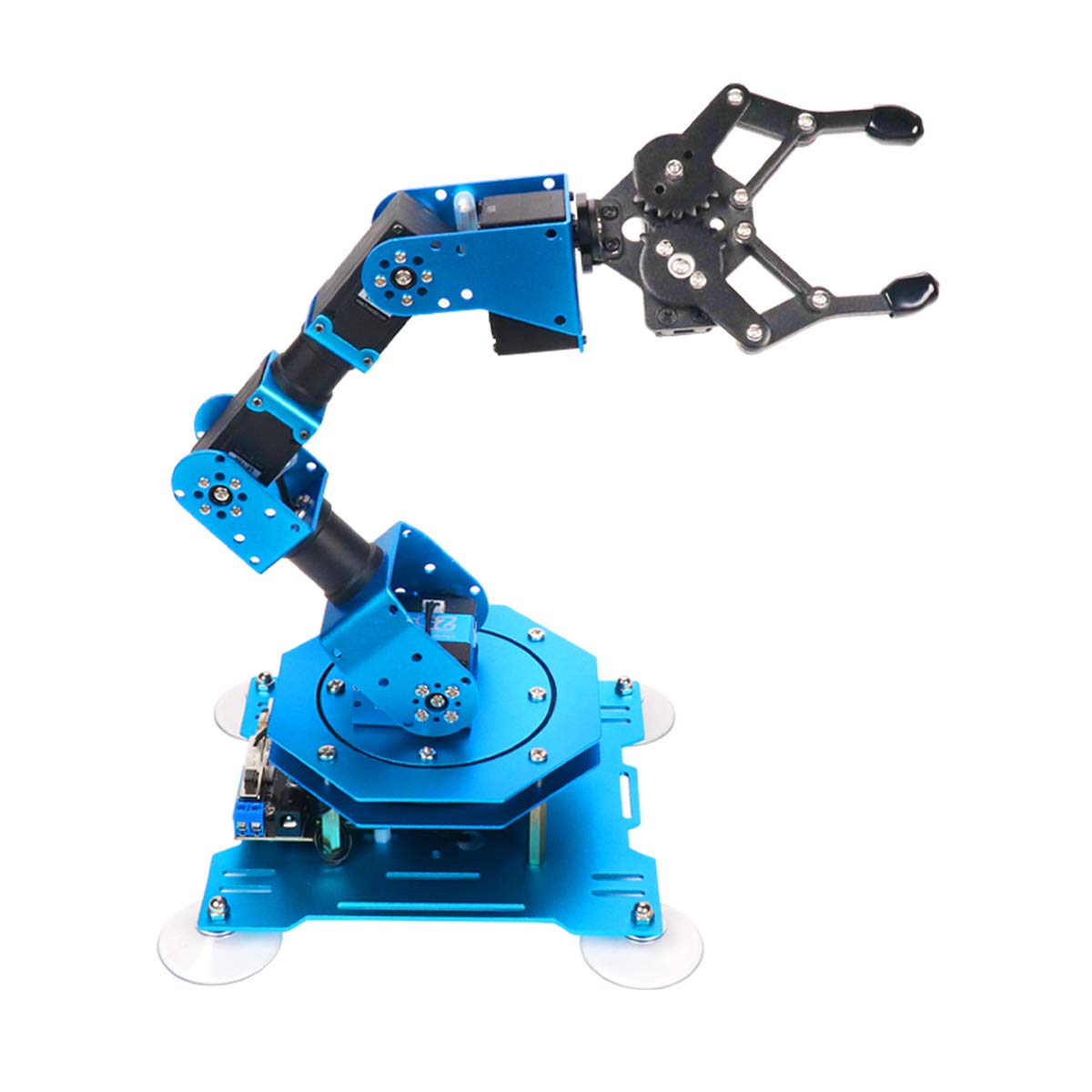
The LewanSoul Robotic Arm for Arduino is an innovative educational tool designed for coding, programming, and hands-on learning. This 6DOF robotic arm is ideal for students, hobbyists, and anyone interested in robotics and automation, providing a platform for creative projects and technical skills development.
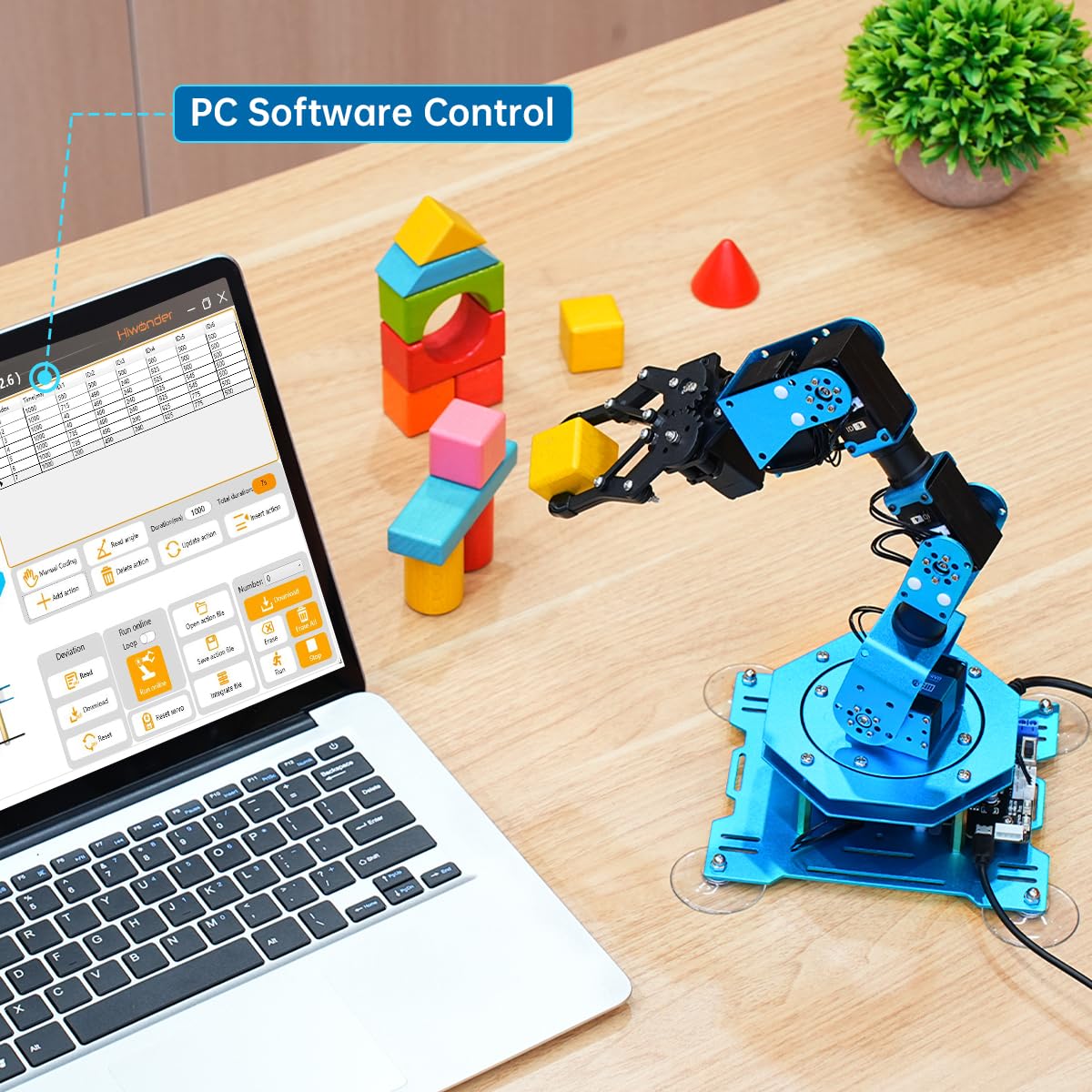
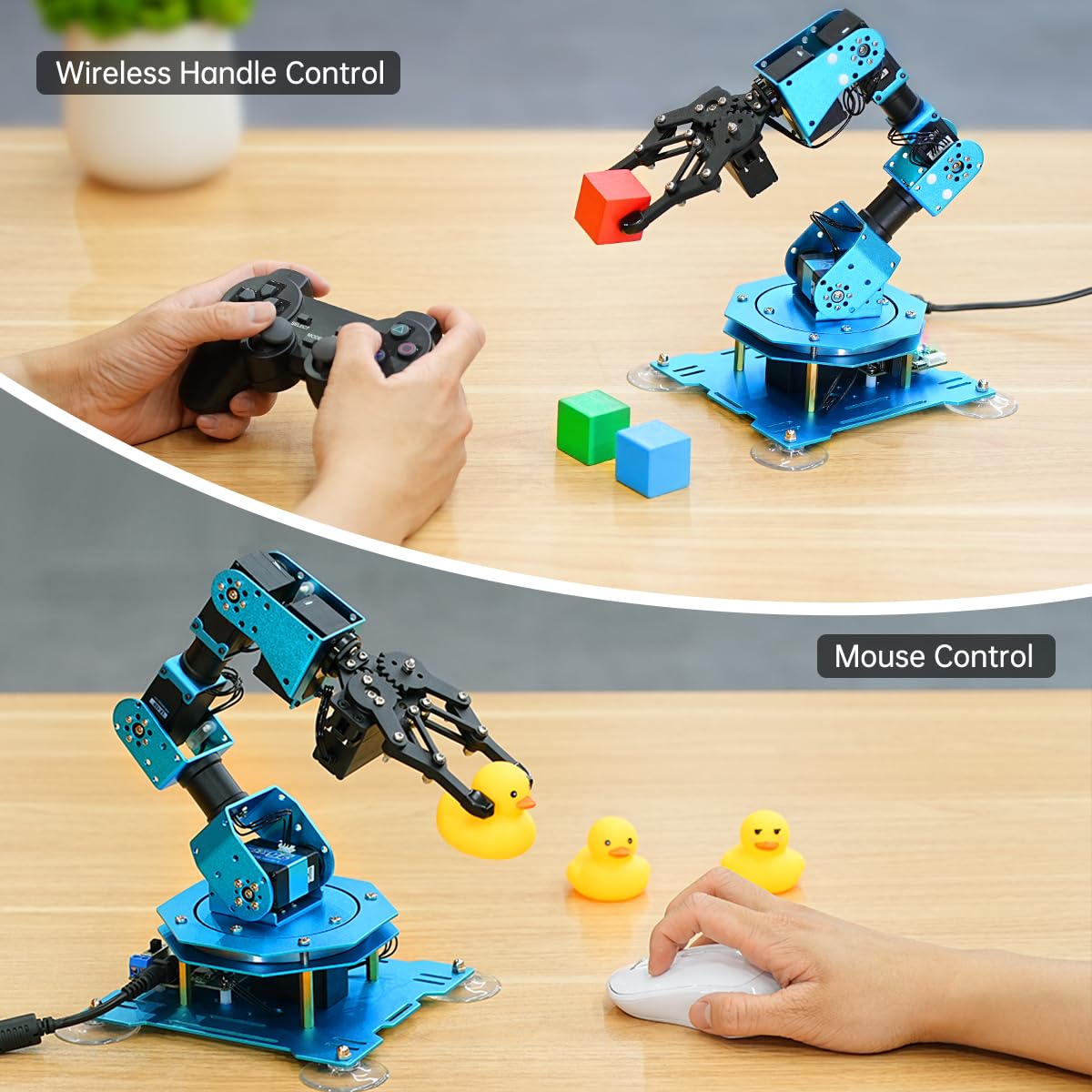
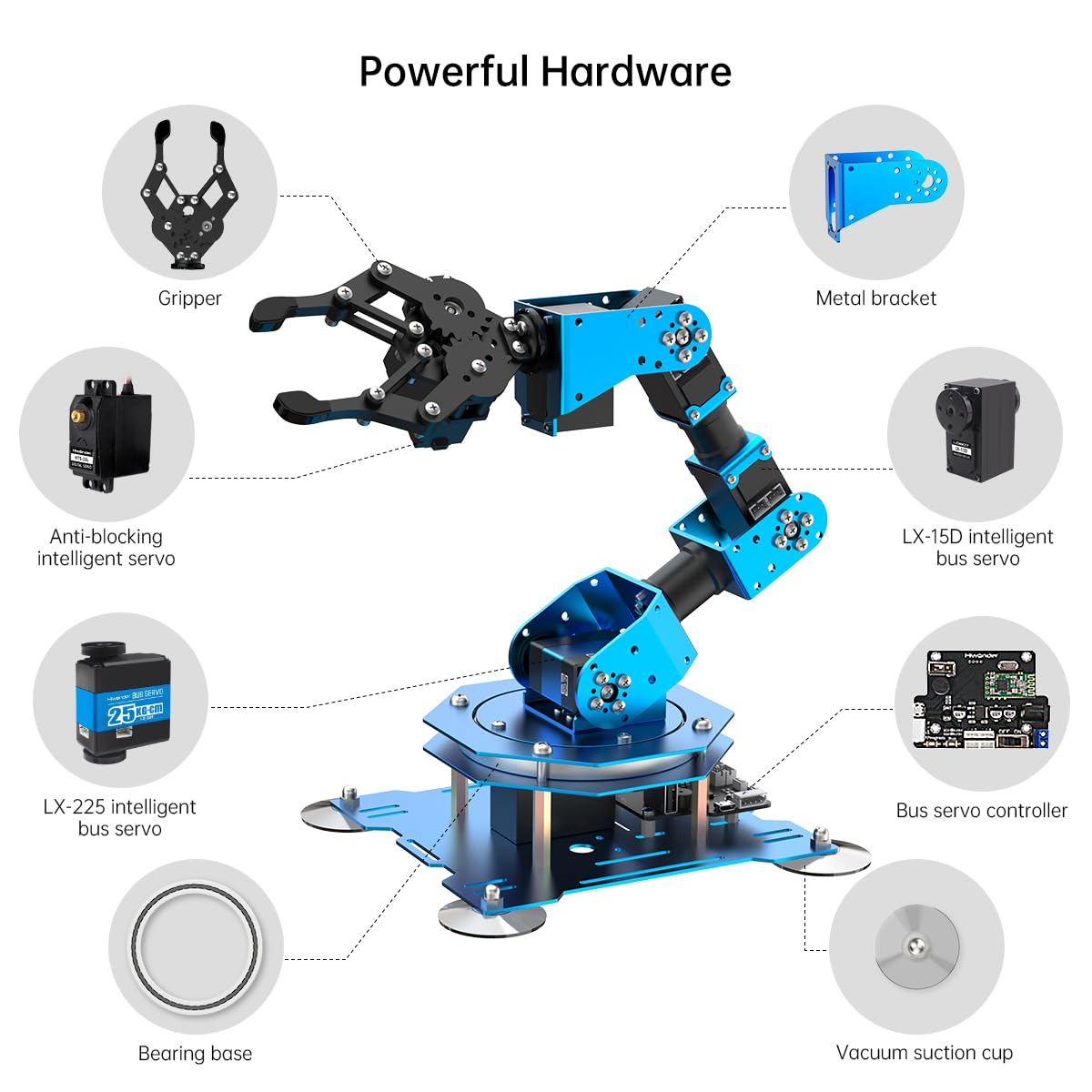
The xArm 1S features a robust construction made from high-quality aluminum alloy, ensuring durability and stability during operation. It is equipped with six high-precision intelligent serial bus servos that offer real-time feedback on position, voltage, and temperature. This allows the arm to perform precise movements and handle objects weighing up to 500g effortlessly. The versatile control methods include PC, mobile app, mouse, and wireless PS2 handle, catering to various user preferences and enhancing the learning experience. With an easy-to-use interface for action editing, users can quickly create and execute custom commands, making it suitable for both beginners and advanced users alike.
Key Features:- High-Precision Servos: Equipped with 6 intelligent servos for accurate movement and feedback.
- Durable Construction: Made from premium aluminum alloy for enhanced stability and longevity.
- Multiple Control Options: Control via PC, mobile app, mouse, or wireless PS2 handle for flexibility.
- Creative Learning Platform: Ideal for educational purposes, allowing users to explore coding and robotics.
- Versatile Editing Methods: Supports easy action editing through PC, app, and offline manual options.
- Strong Load Capacity: Capable of grasping objects up to 500g, suitable for a range of applications.
- Graphical Programming: Facilitates custom actions and programming, enhancing user engagement and creativity.
The LewanSoul Robotic Arm is an excellent investment for educators, students, and robotics enthusiasts seeking to enhance their programming skills and understanding of automation. Its combination of advanced features, user-friendly design, and robust construction makes it a valuable tool for hands-on learning and creative exploration in the field of robotics.
Frequently Asked Questions
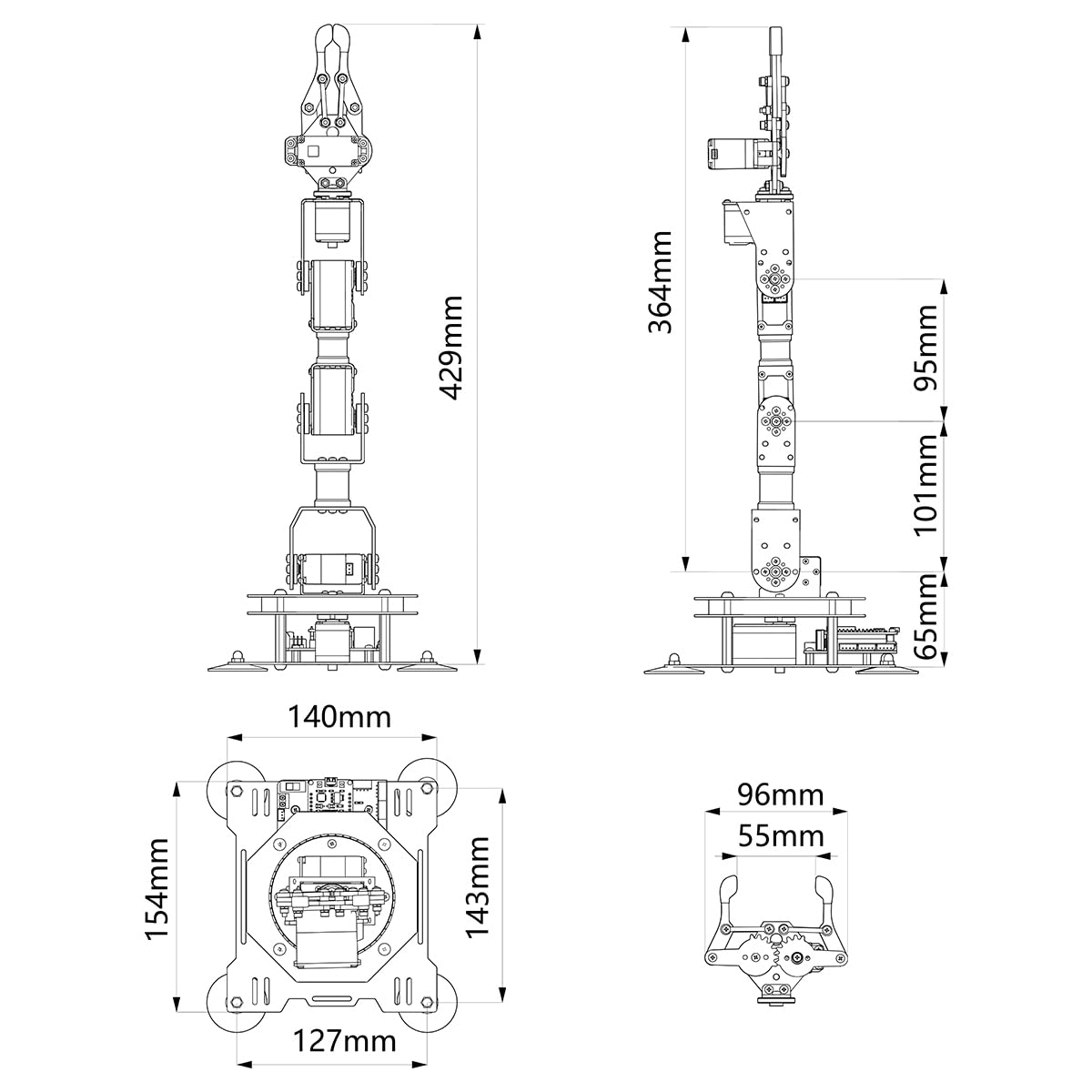
- Q: What are the dimensions of the robotic arm? A: The robotic arm measures six point one inches in length, five point five inches in width, and nine point six eight inches in height. This compact size makes it suitable for desktop use.
- Q: What material is the robotic arm made of? A: The robotic arm is constructed from high-quality metal, specifically an exquisite aluminum alloy. This ensures durability and stability during operation.
- Q: How many degrees of freedom does the arm have? A: The robotic arm features six degrees of freedom. This allows for a wide range of motion and versatility in various tasks.
- Q: How do I control the robotic arm? A: You can control the robotic arm using a PC, mobile application, mouse, or a wireless PS2 controller. This variety allows for flexible and convenient operation.
- Q: Is there a specific age group for this robotic arm? A: The robotic arm is designed for educational purposes, suitable for children and adults interested in STEM learning. It provides a hands-on experience for all ages.
- Q: Can beginners use this robotic arm? A: Yes, beginners can easily use the robotic arm. Its user-friendly interface and various control methods make it accessible for those new to robotics.
- Q: What is the maximum weight the robotic arm can grasp? A: The robotic arm can grasp objects weighing up to five hundred grams. This capability enhances its functionality for various tasks.
- Q: How should I care for the robotic arm? A: To maintain the robotic arm, keep it clean and free from dust. Regularly check connections and ensure it is stored in a dry, safe place.
- Q: Is the robotic arm safe for children? A: Yes, the robotic arm is safe for children when used with supervision. It is designed for educational purposes, promoting learning in a controlled environment.
- Q: What happens if the robotic arm arrives damaged? A: If the robotic arm arrives damaged, you should contact customer support for assistance. Most retailers offer a return policy for damaged items.
- Q: How can I edit the actions of the robotic arm? A: You can edit the actions of the robotic arm through a user-friendly interface available on PC or the mobile app. It also supports offline manual editing.
- Q: Does the robotic arm require batteries? A: No, the robotic arm does not require batteries. It operates via a wired connection or supports wireless control, depending on the method used.
- Q: Can I use the robotic arm for programming? A: Yes, the robotic arm is excellent for programming. It supports graphical programming and custom actions, making it a great educational tool for coding.
- Q: What types of projects can I create with this robotic arm? A: You can create a variety of projects such as remote-control grasping, object transportation, and custom robotic actions, showcasing your creativity in robotics.
- Q: Is there a warranty for the robotic arm? A: Yes, the robotic arm typically comes with a manufacturer’s warranty. Check the specific retailer's policy for detailed warranty information.
- Q: Can I control the arm using just my fingers? A: Yes, you can control the robotic arm at your fingertips using the mobile app or mouse interface. This feature enhances the interactive experience.