


You will not be allowed to compare more than 4 products at a time
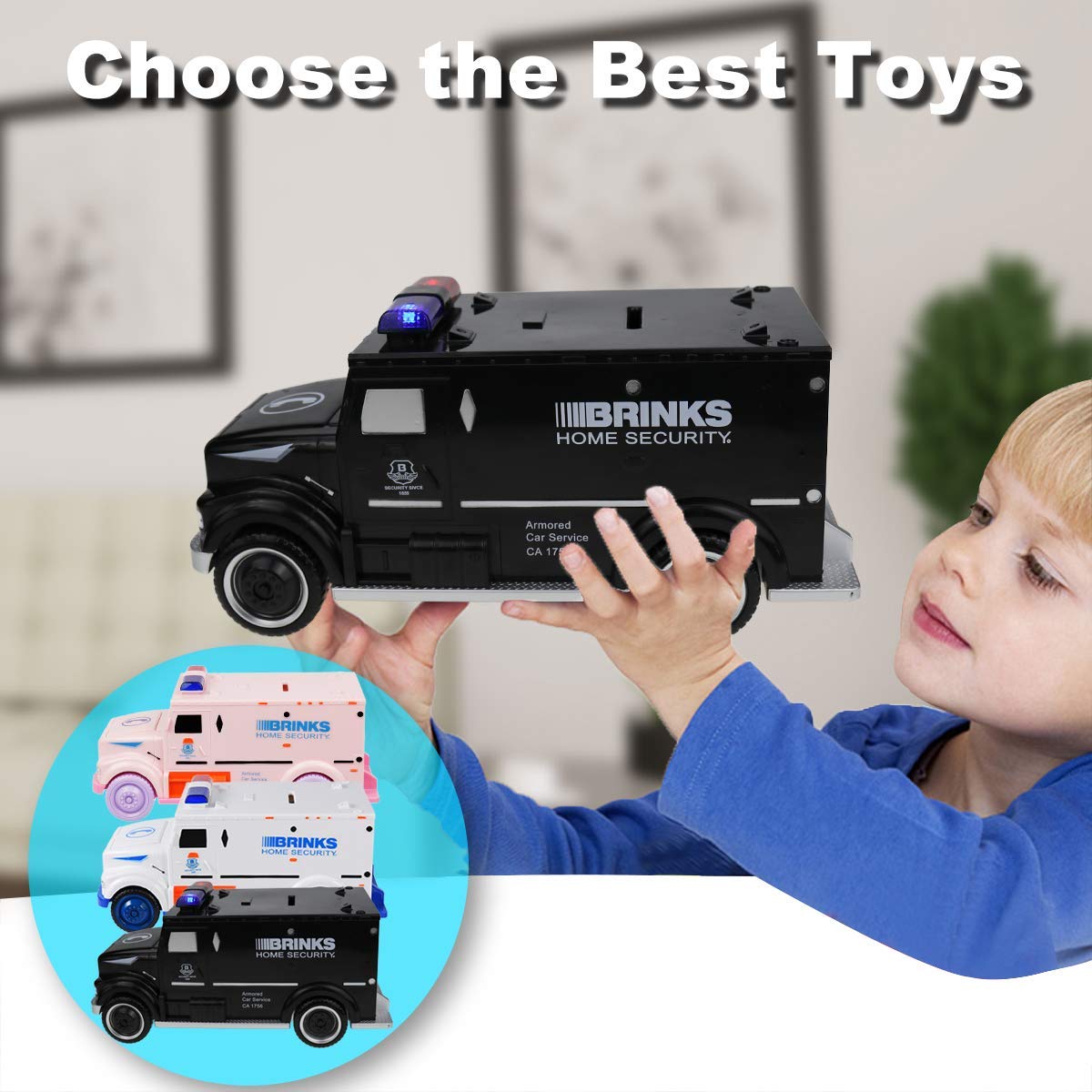
View compareYoego Kids Money Bank, Electronic Piggy Banks, Great Gift Toy For Kids Children, Cool Armored Car Bank Password Coin Bank, Perfect Toy Gifts For Boys Girls (Black)
Yoego Kids Money Bank, Electronic Piggy Banks, Great Gift Toy For Kids Children, Cool Armored Car Bank Password Coin Bank, Perfect Toy Gifts For Boys Girls (Black)
Regular price
$54.72 USD
Sale price
$54.72 USD
Regular price
$54.72 USD
Unit price
per
Shipping calculated at checkout.
Out of stock
Sold by ToyTooth — Your trusted kids' toy store.
Returns accepted within 30 days | support@toytooth.com
Shipping Information
- Shipping calculated at checkout
- Processing Time: 3–5 business days
- Estimated Delivery: 6–10 business days after dispatch
- Securely packed to ensure your purchase arrives in perfect condition
- Tracking number sent via email once dispatched
Returns & Refund
Returns accepted within 30 days of delivery.
Damaged or Defective Item
Free return shipping + replacement or full refund
Wrong Item Received
Free return shipping + replacement or full refund
Change of Mind
Return shipping at customer's expense · Item must be unused & in original packaging
All returns require a Return Authorization (RA) number before sending.
View Full Return & Refund Policy
Safety & Compliance
⚠️
California Proposition 65 Warning
Some products sold on this website may expose you to chemicals known to the State of California to cause cancer, birth defects, or other reproductive harm.
www.P65Warnings.ca.gov
🛒
General Product Safety Advisory
Always read the product label, instructions, and safety warnings before use. Do not use damaged or modified products. Store products in appropriate conditions as specified by the manufacturer.
Keep all products out of reach of children unless specifically designed for their use.
ℹ️
Product Authenticity & Notice
All products sold by ToyTooth are 100% authentic, sourced directly from trusted toy suppliers and brands. Product colors and dimensions may vary slightly from images due to screen calibration and manufacturing tolerances.
ToyTooth — Fun Toys for Every Kid, Delivered to Your Door.
Share
Couldn't load pickup availability
Guarantee safe and secure checkout
Description
Description
How To Use: ?To Open The Safe, You First Need To Enter A Four-Digit Password. Safe Default Password Is: 0000 ?Please Follow These Steps To Use: 1.Enter The Four-Digit Password, The Blue Lights And The Car Bank Back Door Open Automatically. If You Enter The Wrong Password, The Red And Blue Lights Will Flash. 2.If The Door Open For More Than 10 Seconds, Both Red And Blue Lights Will Flash And The Beep Sound Will Ring. 3.The Banknote Paper Money Into The Mouth, Directly Into The Bill. Change The Password: 1.Enter The Current Password (Default 0000) To Open The Safe Door. 2.Press And Hold The '*' Button, Both Blue And Red Light Will Flash (Hold The '*' Button, Not To Loosen). 3.Within 15 Seconds, Enter The New 4-Digit Password, Press '#' To Confirm To Store The New Password. Light Stops Flashing. Note: If The New Password Is Not Entered Within 15 Seconds, The Program Will Stop, You Must Restart The Program. 4.Release The '*' Button And Close The Door. Q1:Forgot Your Password? 'A: Please Remove The Battery And Reinstall It After One Minute. The Password Will Be Restored To ''0000''. ' Q2: My Password Is Correct, Why Is It Not Opening? A: Please Enter The Password Slowly. Package Includes: ?1 X Kids Money Bank ?1 X English Manual


Frequently Asked Questions
- Q: What is the size of the Yoego Kids Money Bank? A: The Yoego Kids Money Bank measures ten point four inches in length, four point nine inches in width, and four point three inches in height. This medium-sized design makes it suitable for children's rooms.
- Q: What material is the Yoego Kids Money Bank made of? A: The Yoego Kids Money Bank is made of high-quality ABS plastic. This material is both durable and kid-friendly, ensuring safety during play.
- Q: How does the electronic feature of the Yoego Kids Money Bank work? A: The electronic feature operates using three AA batteries, which are not included. This allows the money bank to have flashing lights and sound effects for an engaging experience.
- Q: How do you use the Yoego Kids Money Bank? A: To use the Yoego Kids Money Bank, enter the default four-digit password, which is zero zero zero zero. This unlocks the back door, allowing you to deposit money.
- Q: Can children change the password on the Yoego Kids Money Bank? A: Yes, children can change the password after entering the default password. They need to follow specific steps to set a new four-digit password.
- Q: What is the recommended age for using the Yoego Kids Money Bank? A: The Yoego Kids Money Bank is suitable for children aged three years and older. It's designed to help develop saving habits in a fun way.
- Q: How should I clean the Yoego Kids Money Bank? A: To clean the Yoego Kids Money Bank, simply wipe it with a damp cloth. Avoid using abrasive cleaners to maintain its surface quality.
- Q: Is the Yoego Kids Money Bank safe for children? A: Yes, the Yoego Kids Money Bank is safe for children. It is made from non-toxic materials and features no hazardous elements.
- Q: How do you store the Yoego Kids Money Bank when not in use? A: When not in use, store the Yoego Kids Money Bank in a cool, dry place. Ensure that it is kept away from moisture to prolong its lifespan.
- Q: What if the Yoego Kids Money Bank does not open with the correct password? A: If the bank does not open with the correct password, try entering it slowly. This can ensure that the system recognizes the input accurately.
- Q: What should I do if I forget the password for the Yoego Kids Money Bank? A: If you forget the password, you can reset it by removing the battery and reinstalling it after one minute. This will restore the password to zero zero zero zero.
- Q: Are the lights on the Yoego Kids Money Bank functional? A: Yes, the lights on the Yoego Kids Money Bank are functional. They flash to indicate incorrect password entries and light up when the bank is opened.
- Q: Is the Yoego Kids Money Bank a good gift for birthdays? A: Yes, the Yoego Kids Money Bank makes a great gift for birthdays or festivals. Its unique design and interactive features appeal to both boys and girls.
- Q: What methods can be used to deposit money into the Yoego Kids Money Bank? A: You can deposit paper money by placing it in the mouth of the bank, which will automatically roll it in. Coins can be inserted through the slot on the top.
- Q: Can the Yoego Kids Money Bank be used as a decorative item? A: Yes, the Yoego Kids Money Bank can also serve as a decorative item due to its cool armored car design. It adds a playful touch to children's rooms.